
Download loket88 for Your Device
We support three installation paths: Android APK (direct download), iOS web app (via Safari), and desktop web browser. Choose the option that suits your device below.
How to Install and Register
Installation takes under five minutes. Follow these steps to download, install, create your account, and start using loket88.
- Download the APK (Android) or open loket88.bet (iOS / Desktop): For Android, visit our download page and tap "Download APK". For iOS, open Safari and navigate to loket88.bet. For desktop, use any browser and go to loket88.bet.
- Install on Android or add to home screen (iOS): On Android, go to Settings → Security → Unknown Sources and enable installation from unknown sources. Then open the downloaded file and tap Install. On iOS, tap the Share button in Safari and select "Add to Home Screen".
- Create your account: Tap "Open an account" and enter your username, email, password, and mobile number. We send a verification code to your email. Enter the code to activate your account.
- Complete KYC verification and start using loket88: Upload a photo of your national ID or passport. We verify within subject to verification. Once verified, deposit funds via DANA, e-wallet, mobile banking, local payment, online payment, e-wallet, or bank transfer, and access all features.
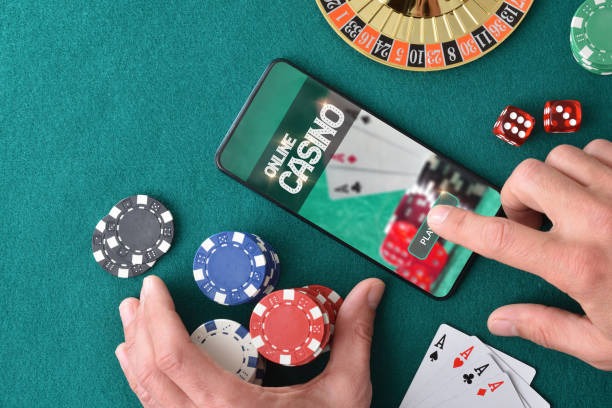
App vs. Browser: What's the Difference?
Our Android app and web browser access deliver the same features and security. The app offers faster loading, offline access to your account balance and recent history, and push notifications for Liga 1 results, Piala AFF schedules, and withdrawal status. The web browser (iOS and desktop) has no installation overhead and updates automatically — every visit loads the latest version. Both paths use the same encrypted login, two-factor authentication via SMS, and KYC verification. Choose the app if you want offline speed; choose the browser if you prefer simplicity.
Device Compatibility and Requirements
loket88 works on Android 7 and later (most phones made after 2016) and iOS 12 and later (iPhone 5s and newer). For best performance, we recommend a phone with at least 2GB of RAM and a modern browser (Chrome, Safari, Firefox, or Edge). Our app uses approximately 25–35 MB of storage; the web app requires no installation. Both paths work on 4G and WiFi. Data usage is minimal — a typical login uses less than 1 MB, and a prediction typically uses 2–3 MB.
Common Installation Issues and Solutions
If you see a message "Unknown sources" on Android, go to Settings, Security, and enable "Install apps from unknown sources". If you see a certificate warning on iOS or desktop, this is normal for web apps — tap "Continue" or "Proceed". If the APK download stalls, check your internet connection and try again. If you cannot find the Settings menu on Android, swipe down from the top, tap the gear icon, and search for "Unknown sources". If loket88 loads slowly, clear your browser cache (Settings → Apps → loket88 → Storage → Clear Cache on Android; Settings → Safari → Clear History and Website Data on iOS) and try again.

App Security, Permissions, and Your Account Data
When you log into loket88, all data — your username, password, payment methods, and game history — is encrypted in transit using industry-standard TLS (Transport Layer Security). Your password is never stored in plain text on your device or our servers. We use a cryptographic hash so even our support team cannot see your password. When you request a withdrawal, our compliance team reviews your account to prevent fraud, then sends funds to your mobile banking, local payment, bank account, or other chosen payment method. Two-factor authentication via SMS adds a second security layer: we send a code to your phone every time you log in from a new device. You can reset your password anytime by clicking "Forgot password?" on the login screen. If you lose access to your phone number, contact our support team and we will help verify your identity using your national ID.